 Driving Mastery
Instructor Board
Road diagrams for driving instructors, in 3D and from the driver's seat
A road diagram shows the junction from above. Instructor Board shows it from above, from behind the car and from the driver's seat, and plays it.
See Instructor BoardIn short
- Every situation on the board starts as a plan, like the diagram book: the junction from above, with each road user's route drawn on it.
- Press play and it moves. Pause it at the moment that matters.
- Switch camera at any moment: bird's-eye, behind the learner's car, or the driver's seat, with mirrors that show what a driver would see.
A diagram tells a learner where everything is. It cannot show them what it looks like from their seat, which is where the mistake happened. The board starts where the diagram book does and then lets you go further: play the situation, stop it at the moment the learner had to decide, and look at it through their windscreen.
Start with the plan
Who goes where, before anything moves
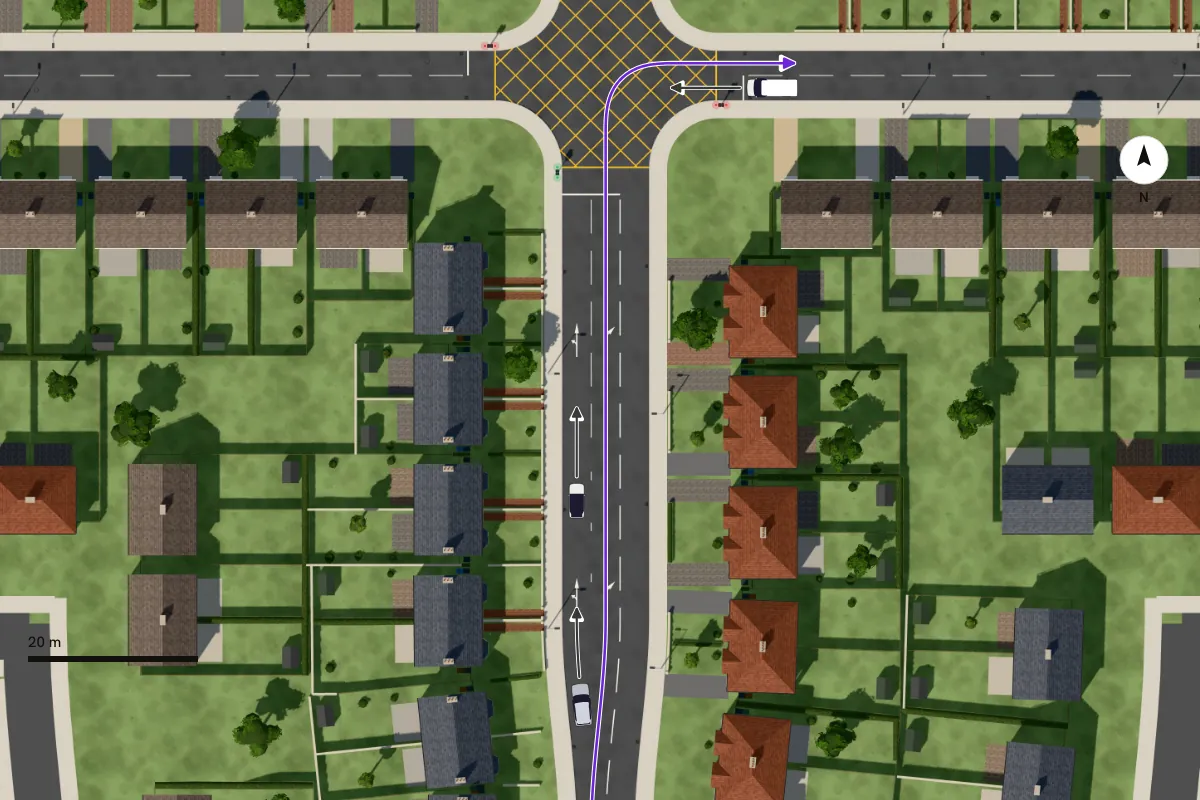
Each ready-made situation names the Highway Code rules it teaches, so the briefing and the rule book say the same thing. You can move any road user, change where it is going, or add your own before you play it.
Play it, then stop at the decision
The moment the learner has to decide
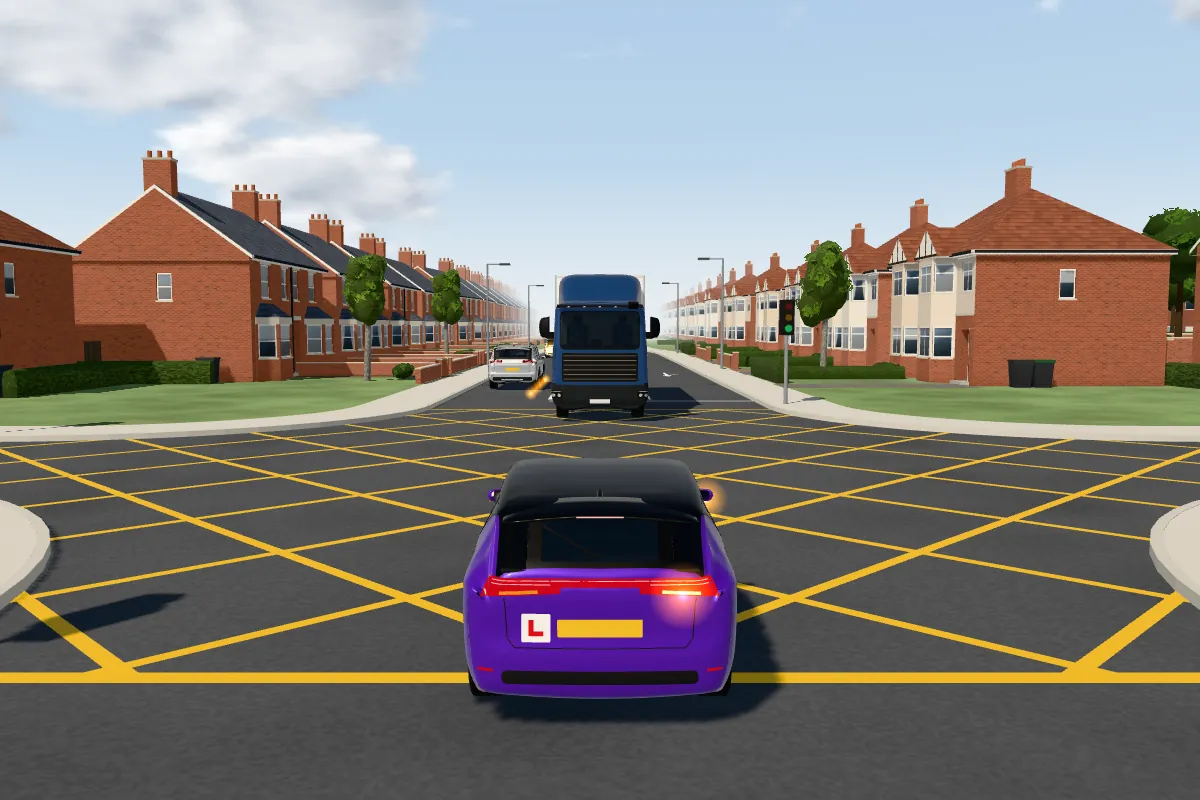
The same moment, from the learner's seat
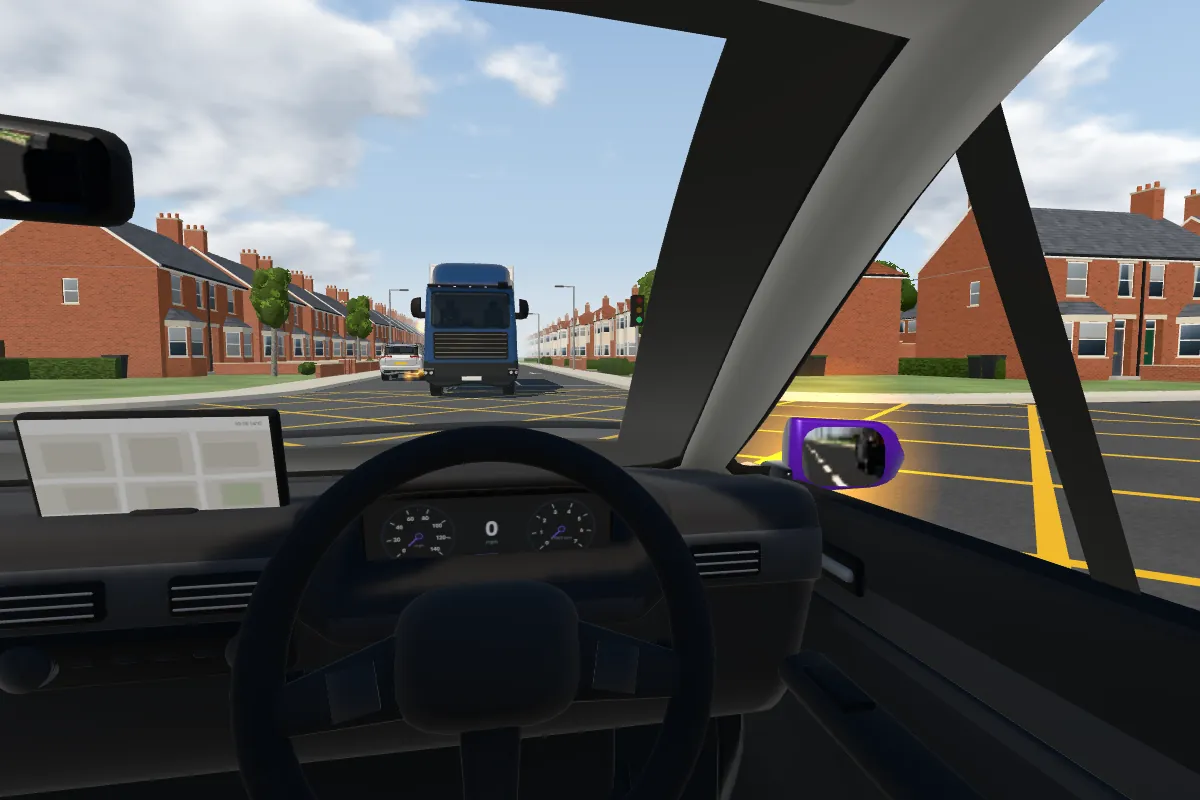
The timeline under the board names the steps of the situation, such as waiting, moving off and turning, so you can jump to any of them and pause. Play it again from the driver's seat and ask the learner what they can see, before you show them what they could not.
Mirrors that work
From the driver's seat, the interior and door mirrors show the road behind as a driver would see it, so mirror checks can be taught on the board as well as on the road: what should be in the mirror before moving off, and what a cyclist alongside looks like before a left turn.
What is on the board
- T-junctions, crossroads, staggered and unmarked crossroads
- Roundabouts, mini-roundabouts and multi-lane roundabouts
- Zebra crossings, traffic lights, filter arrows and yellow box junctions
- Ready-made situations for each, and a blank board for your own
Frequently asked questions
What is Instructor Board?
A teaching board for driving instructors, for tablets. It shows a junction as a plan and in 3D, plays a situation with the road users moving, and lets you watch it from above, from behind the learner's car or from the driver's seat.
Does it work without a signal?
Yes. Once it is installed it works offline, so it can be used parked at the roadside.
Related learning
Part of a topic guide
Instructor Board for driving instructors
Part of Driving Mastery's guides to Instructor Board, the 3D teaching board for driving instructors: what it shows, and how to use it in a lesson.
Set up your own road scene: road users, signs, markings and roadworks
Rebuild the situation your pupil just met: place cars, bikes and people, add signs, road markings and roadworks, draw on the road, and play it.
Teach in rain and fog, and on real junctions from the test routes
Switch any situation on Instructor Board to rain or fog, and teach on real multi-lane roundabouts and junctions drawn from public map data.
Sign and marking designs: Department for Transport, © Crown copyright. Contains public sector information licensed under the Open Government Licence v3.0.
Driving Mastery's learner guidance is written and reviewed by Niall Cullen, a UK approved driving instructor, so it stays practical, safe, and grounded in real driving lessons.